Blog Instructions

Purpose
This page is for explaining how to operate the BC Beer Stats Blog, including instructions for composing a new blog post.
You should NOT be seeing this page via navigation. If you are, something is wrong with the site navigation setup. It will still be rendered and accessible but should not be in navigation, as it is not for public. (It may show up in some preview modes but not in production.)
Components of the Blog Site
This blog works slightly differently than a standard Quarto blog site, because it is embedded within a larger site that is not a Quarto project. The way this works is that:
blog-src/: main folder where blog content is developed and stored:blog-src/folder also has the_quarto.ymlfile that defines the blog site configuration.blog-src/also has a_metadata.ymlfile in theposts/folder that defines metadata for all blog posts.- in order to ensure this is considered working directory for the blog: run
setwd('blog-src')at the start of each session
blog-src/posts/: folder where individual blog posts are stored.- each blog post is in its own sub-folder under
posts/with anindex.qmdfile for the post content.
- each blog post is in its own sub-folder under
blog-src/img/: folder for any images that are used across multiple posts or general blog images (e.g., banner images, icons, etc.)blog-src/about.qmd: page for author bio/profile (not linked in navigationblog/:When the site is rendered, content inblog-src/is built into static HTML files and placed into the/blog/folder, which is then served as part of the overall site. NO NEED TO TOUCH ANYTHING IN THIS FOLDER as it is all automatically generated.- Format/layout for blog hm page is defined in the
blog-src/index.qmdfile, particularly thelistingsection of the YAML header.- blog-overrides.css file is used for further customization of blog appearance. it’s called ‘blog-overrides.css’ because it overrides Boostrap theme styles for Quarto.
- Format/layout for blog posts is defined in the
blog-src/_quarto.ymlfile with further customization:- yaml header for each post define header components and some additional layout options.
- blog-post-overrides.css file is used for further customization of blog post appearance.
- Other supporting files:
- _common.R: load this file with
pwd <- getwd()source(paste0(pwd,'_common.R'))- in the first code chunk at the top of blog post. it loads required packages, functions from the files in R/ folder, and potentially other commonly-used settings, all in one place.
- update with new packages as they arise, or other common functionality
- R/utils-data.R: functions for fetching data from database as well as common types of manipulations, creation of commonly-needed data frames. based on functions used in bc-lmr-data-products project.
- R/utils-viz.R: functions for standardizing, simplifying, or otherwise creating settings for data visualizations that apply widely in posts.
- _common.R: load this file with
How to operate the BC Beer Stats Blog
Rendering entire site:
For best results in testing code, previewing, rendering:
setwd('blog-src') at start of each session.
To render entire quarto site: (good to do before major commits)
- Terminal > go to ‘blog-src’ directory
- Terminal >
quarto render
Preview vs Render:
- each .qmd doc has a ‘Preview’ button in top left of window
- easy to render the specific doc and see what it will look like
quarto renderdoes the same thing for ALL .qmd files at once (along with all supporting files)
To add a new blog post:
- create a new folder under
blog-src/posts/with a unique name (e.g.,my-new-post) - inside that folder, create an
index.qmdfile for your blog post content.- can use existing blog post, probably most recent, as a template.
- refer also to
blog-src/posts/demo-post-with-codefor examples.
yaml header
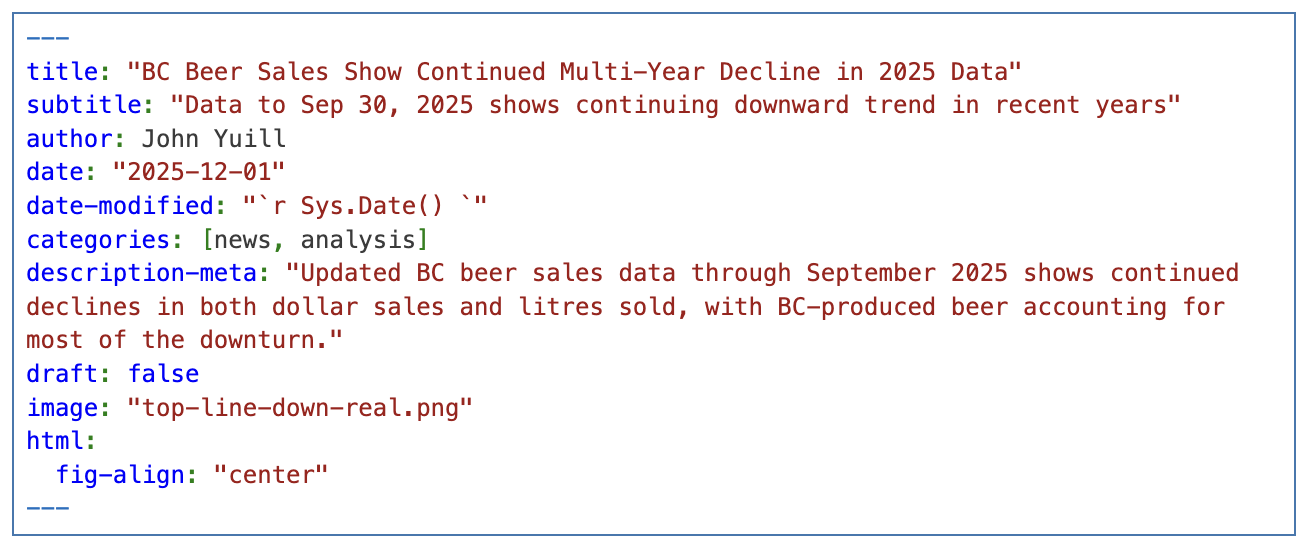
Contents for the yaml header include:
- title / subtitle
- author
- date: hard-coded date
- date-modified: “2026-02-18” to automatically update when changes made
- categories: brackets, comma separated [cat1, ca2]; avoid excessive list of unique categories
- description-meta: for SEO
- draft: true (until ready to publish)
- image: image to use for thumbnail on listings page; if nothing specified, will take first image in post
- html: settings for html - not sure these always work
- example
- example
_common.R
- source _common.R in first code block
get standard packages, functions all in one go:

- Carry on with your post!
Getting BC Beer data
- To get BC Beer data for your post, you can run functions in
R/utils-data.R- utils-data.R functions will be available after you source _common.R
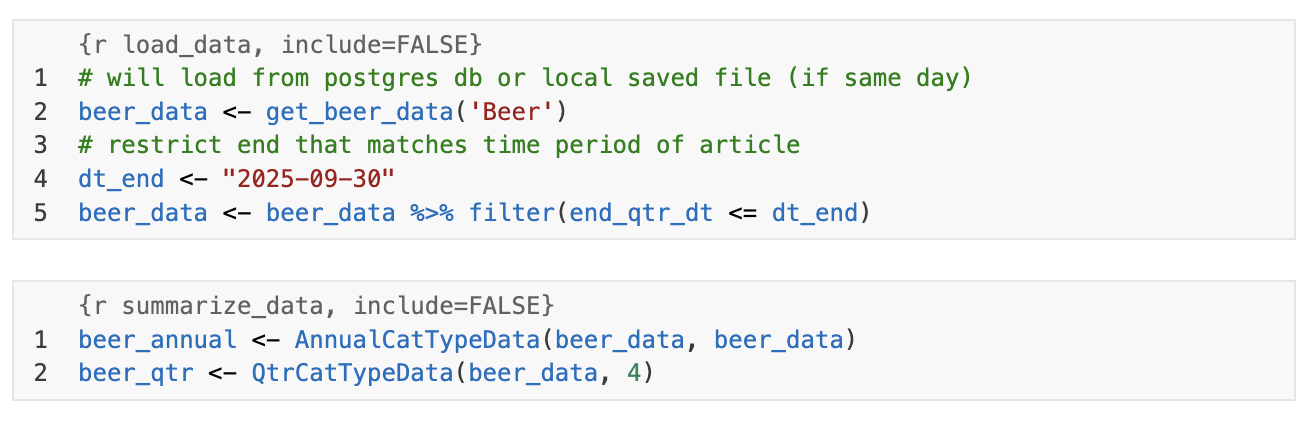
- utils-data.R functions will be available after you source _common.R
Images
- Store any images for the post in the same folder - if there are lots, may want to create
img/ folder, but that is optional. - Insert images where you want with the
tool bar iconorinsert > imagein Visual mode - captions:
- in the image dialog, add captions, like Source information.
- in attributes > style may want to add
font-size: 0.8em;
Tables
- gt pkg is good for post tables
- see
posts/demo-with-post-codefor examples, along with other posts